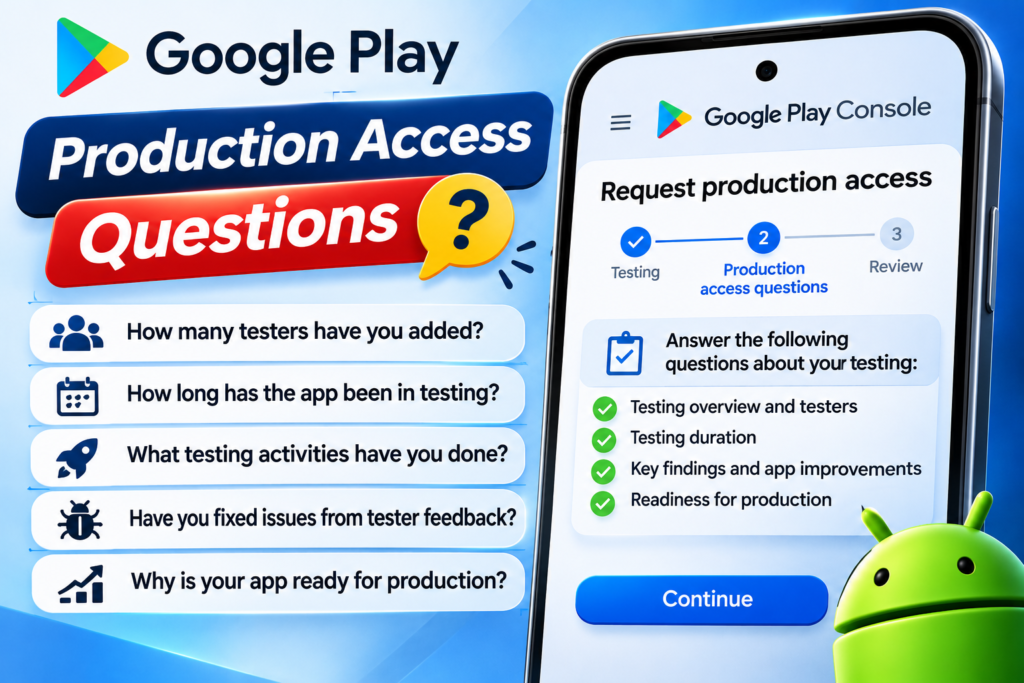
Getting access to production on Google Play is an important milestone for every app developer. However, before publishing an app publicly, eligible developers must complete the required closed testing process and answer several questions in Google Play Console.
How to Apply for Production Access After 14-Day Testing
Once your 14-day closed test is complete, here is the process to apply for production access after 14-day testing in Google Play Console.
- Confirm your test is complete. Check in Play Console that at least 12 testers stayed opted in for 14 continuous days. If your count dropped below 12 at any point, the clock resets — fix the gaps first.
- Open your app in Play Console and go to the Production track to start the production access application.
- Answer the production access questions in the form, using your real test data — your tester count, how testers used the app, the feedback you received, and the changes you made. The 9 questions are covered in detail below in this guide.
- Submit the application. Google usually reviews production access within 7 days.
- If Google approves, roll out your app to production. If you see ‘More testing required‘ or your application is rejected, fix the gaps and apply again.
Before you apply, run through our production access checklist so nothing is missing, and keep your test report handy — it has the devices, tester activity, and feedback your answers should be based on.
Many developers struggle with Google Play’s Production Access Questions because they are unsure what information Google expects, how much detail to provide, and how to explain their testing experience.
Writing short or generic answers may not demonstrate that your application has been properly tested. Your answers should explain how testers used your app, what feedback you collected, what improvements you made, and why you believe your application is ready for production.
In this guide, we explain how to answer Google Play’s Production Access Questions, provide practical answer examples, discuss common mistakes, and share tips to prepare a stronger production access application.
What Are Google Play’s Production Access Questions?
Google Play’s Production Access Questions are questions developers must answer when applying for permission to release an application to the production track.
Google uses these answers to understand three important areas:
- How you conducted your closed testing.
- What your app or game offers to users.
- How you determined that your application is ready for production.
The production access application contains three main sections:
- About your closed test.
- About your app or game.
- About your production readiness.
These sections help Google evaluate your testing process, application purpose, and preparation for a public release.
For eligible personal developer accounts created after 13 November 2023, developers must first complete a closed test with at least 12 testers opted in continuously for 14 days before applying for production access.
Completing this requirement does not guarantee approval. Your answers should demonstrate genuine testing and an understanding of your application’s readiness.
1. How to Answer About Your Closed Test
The first section of Google Play’s Production Access Questions focuses on your closed testing experience.
Google wants to understand how you recruited testers, whether they actively used your application, and what feedback you received.
Question 1: How Easy Was It to Recruit Testers?
Google asks you to select an option describing how easy or difficult it was to recruit testers.
Your answer should reflect your actual experience.
Consider the following factors:
- How many people agreed to participate?
- Did you recruit testers through friends and colleagues?
- Did you approach people from relevant online communities?
- Did you experience difficulties finding active testers?
- Did testers remain involved throughout the process?
Do not select an answer simply because you think it will improve your approval chances. Choose the option that accurately represents your recruitment experience.
Example explanation:
“I recruited testers through my personal and professional network. I shared the testing instructions and opt-in link with people who were interested in trying the application. Some testers joined quickly, while I needed additional time to find participants who could actively explore the app and provide feedback.”
Use this example as a guide and adjust it to match your real experience.
Question 2: How Did Testers Use Your App?
Another important part of Google Play’s Production Access Questions asks whether testers used all the available features and whether their usage reflected expected real-world behaviour.
Google wants to understand how thoroughly testers explored your application.
For example, if you developed a fitness application, testers might explore:
- Account registration and login.
- Workout categories.
- Exercise instructions.
- Activity tracking.
- User profile settings.
- Notifications.
If you developed a shopping application, testers might explore product browsing, search, shopping cart functionality, checkout, and order history.
Example answer:
“During the closed testing period, testers explored the main features of the application, including registration, login, navigation, and the primary functionality. Their usage helped us understand how users interact with the app and identify areas that needed improvement. We also reviewed whether the testing experience reflected the way our intended audience would use the application.”
Only mention features your testers actually explored.
Question 3: Did Tester Usage Match Expected Real-World Behaviour?
Google also wants to know whether tester behaviour was similar to the behaviour you expect from actual users.
This question is important because developers should understand their target audience before releasing an application publicly.
For example, testers might use an app differently because they are exploring every feature rather than using it for their everyday needs.
Example answer:
“Tester usage was generally consistent with our expected user behaviour. Participants explored the main functionality and completed important tasks within the application. Some testing activities involved more detailed feature exploration than normal everyday usage, which helped us identify usability improvements before production.”
If tester behaviour was different from your expectations, explain the difference honestly and describe what you learned.
Question 4: What Feedback Did You Receive From Testers?
This question asks you to summarise the feedback received during closed testing and explain how you collected it.
Google wants to understand whether you listened to testers and used their feedback to improve your app.
Feedback may include:
- Suggestions about navigation.
- Problems with registration.
- Requests for additional features.
- Performance complaints.
- Design and usability recommendations.
- Reports of crashes or technical errors.
Example answer:
“We collected feedback through direct communication with testers and their submitted comments. Testers shared suggestions about navigation, usability, and the application’s main features. We reviewed the feedback, identified areas that needed attention, and used the findings to guide improvements to the application.”
Make sure your answer reflects feedback you genuinely received. Do not claim that testers reported problems or praised features if those conversations never happened.
2. How to Answer About Your App or Game
The second section of Google Play’s Production Access Questions focuses on your application’s purpose, target audience, and expected value.
Google wants to understand what your application does and who is likely to use it.
Question 5: Who Is Your Target Audience?
Google asks developers to describe the intended audience for their application.
Avoid answers that are too general, such as “everyone” or “all Android users.”
Instead, explain the type of people who would benefit from your application.
For example:
- A fitness app may target people interested in workouts and physical activity.
- An educational app may target students who want to improve specific skills.
- A budgeting app may target individuals who want to manage their personal expenses.
- A productivity app may target professionals who need help organising daily tasks.
Example answer:
“Our target audience consists of individuals who are interested in using a simple and accessible mobile application to manage their daily activities. The app is designed for users who want an easy-to-understand interface and convenient access to its main features.”
Customise the example according to your application’s actual purpose and intended audience.
Question 6: What Value Does Your App Provide to Users?
This is one of the most important questions in Google Play’s Production Access Questions.
Google wants to understand why someone would download and use your application.
Your answer should explain:
- The problem your application addresses.
- The main features it provides.
- How those features benefit users.
- What makes the experience useful.
Example answer:
“Our application provides users with a convenient way to access its main services through a simple mobile interface. It brings important features together in one place, helping users complete relevant tasks more easily. The application focuses on usability, accessibility, and providing a straightforward experience for its intended audience.”
Avoid describing features that your app does not actually contain.
For games, explain what makes the game unique, including its gameplay, features, or entertainment value.
Question 7: How Many Installs Do You Expect During the First Year?
Google asks developers to select an estimated install range for the first year after release.
This question helps Google understand your expected audience and launch plans.
You should consider:
- Your target audience.
- Your marketing strategy.
- Your existing user community.
- The type of application.
- Your expected launch reach.
How to answer correctly:
Choose the install range that most closely matches your realistic expectations.
Do not select the highest range simply because it sounds impressive. You should also avoid making unsupported claims about future downloads.
Your estimate should be based on a reasonable understanding of your application’s market and planned promotion.
3. How to Answer About Your Production Readiness
The third section of Google Play’s Production Access Questions evaluates whether your application is prepared for a public release.
This section is particularly important because Google wants to know what you learned from testing and how you used that information.
Question 8: What Changes Did You Make After Closed Testing?
Google wants you to describe the improvements made based on your closed testing experience.
Your answer should connect actual tester feedback with the changes you implemented.
For example, testers might report that:
- Navigation is confusing.
- Buttons are difficult to understand.
- A particular screen loads slowly.
- Registration takes too many steps.
- Some features do not work correctly.
You should explain which issues you identified and what you changed.
Example answer:
“Based on feedback received during closed testing, we reviewed the application’s navigation and overall user experience. We made improvements to the interface, corrected identified functionality issues, and tested the updated features to ensure they worked as expected. We also reviewed the feedback to identify additional opportunities for improvement.”
Only include changes that you actually completed.
If testers did not identify significant issues, explain what they tested and what you learned instead of inventing improvements.
Question 9: How Did You Determine That Your App Was Ready for Production?
This question asks you to explain why you believe your application is ready for public release.
Google expects you to describe the checks and testing activities used to evaluate your app.
Consider discussing:
- Whether the main features work correctly.
- Whether important user journeys were tested.
- Whether critical bugs were resolved.
- Whether tester feedback was reviewed.
- Whether the app was tested on supported devices.
- Whether the app follows applicable Google Play policies.
Example answer:
“We evaluated production readiness by reviewing the results of our closed testing, checking the application’s main functionality, and addressing the issues identified by testers. We tested important user journeys, reviewed application stability, and verified that the main features worked as expected. Based on these testing activities and improvements, we believe the application is prepared for production release.”
Your answer should accurately describe the checks you performed. Do not claim that your app is completely bug-free or fully tested on every device unless you can support that statement.
9 Powerful Tips for Answering Google Play’s Production Access Questions
Writing strong answers requires more than copying sample responses. Follow these nine tips when preparing Google Play’s Production Access Questions.
1. Be Specific About Your Testing Process
Explain how you recruited testers, what they tested, and how they provided feedback. Avoid vague statements that do not describe your actual testing activities.
2. Explain Your App’s Main Features
Describe the most important functionality of your application and explain how it benefits your intended audience.
3. Provide Genuine Tester Feedback
Use real comments, suggestions, and problems reported during your closed testing period.
4. Explain Improvements Clearly
Show how you used testing feedback to improve the application. Mention the actual features or issues you addressed.
5. Understand Your Target Audience
Describe the people who are most likely to use your application and explain why it is useful to them.
6. Avoid Copying Generic Answers
Sample answers can help you understand the expected structure, but your final responses should be specific to your application.
7. Keep Your Answers Clear
Use simple, professional language. Explain the important information without adding unnecessary details or repeating the same sentences.
8. Check Your Application Before Applying
Review important features, crashes, login functionality, navigation, and policy compliance before submitting your production access application.
9. Review Every Answer Before Submission
Make sure all answers are accurate, consistent, and based on your actual testing experience.
Common Mistakes When Answering Google Play’s Production Access Questions
Many developers make avoidable mistakes when completing the production access application.
Here are some problems to avoid:
Writing answers that are too short: Answers such as “Everything works fine” do not explain how you tested your application.
Using identical answers for every app: Different applications have different audiences, features, and testing requirements.
Inventing tester feedback: Never claim that testers used specific features or reported certain problems if it did not happen.
Ignoring application problems: Do not describe your app as production-ready without reviewing important functionality and known issues.
Choosing unrealistic install estimates: Select a first-year install range based on reasonable expectations.
Ignoring Google Play policies: Production access testing does not replace the need to comply with developer policies.
Leaving answers incomplete: Make sure every required section has been completed and saved before submitting the application.
Avoiding these mistakes can help you prepare more informative and credible answers.
Checklist Before Submitting Google Play’s Production Access Questions
Before submitting your application, review the following checklist:
- Your eligible closed testing requirement is complete.
- At least 12 testers have remained opted in continuously for the required 14 days, if applicable.
- You have reviewed tester engagement.
- You have summarised genuine tester feedback.
- You have identified and addressed important application issues.
- Your target audience is clearly defined.
- Your app’s main value is explained.
- Your first-year install estimate is realistic.
- You have described actual improvements made after testing.
- You have explained how production readiness was evaluated.
- Your application follows applicable Google Play policies.
- All required answers have been saved and submitted.
Following this checklist can reduce avoidable mistakes when completing Google Play’s Production Access Questions.
Final Thoughts on Google Play’s Production Access Questions
Answering Google Play’s Production Access Questions correctly is an important part of preparing your application for a public release.
Google wants to understand your closed testing experience, your application’s purpose, and the steps you took to prepare it for production.
Start by explaining how you recruited testers and collected feedback. Then describe your target audience, the value your application provides, and your realistic installation expectations. Finally, explain the improvements made after testing and how you evaluated production readiness.
Remember that sample answers should be used as guidance, not copied without modification. Your responses must reflect genuine testing activities and the actual features of your application.
By providing clear, detailed, and honest answers, you can make your production access application more informative and demonstrate that you have taken the necessary steps to prepare your app for Google Play users.
Frequently Asked Questions About Google Play’s Production Access Questions
1. What are Google Play’s Production Access Questions?
Google Play’s Production Access Questions are questions developers answer when applying for production access. They cover closed testing, the app or game, and production readiness.
2. How many sections are included in Google Play’s Production Access Questions?
The application contains three main sections: About your closed test, About your app/game, and About your production readiness.
3. What should I write about my closed testing experience?
Explain how you recruited testers, whether they explored the available features, how their behaviour compared with expected users, and what feedback you collected.
4. How should I describe my app’s target audience?
Identify the specific type of users your application is designed for. Explain their interests, needs, or problems that your app aims to address.
5. What should I write about my app’s value proposition?
Describe the problem your application solves, its main features, and the benefits users receive from using it.
6. What should I write about changes made after testing?
Explain the actual improvements you made based on tester feedback, such as fixing bugs, improving navigation, or making features easier to use.
7. How do I explain production readiness?
Describe the testing activities you completed, the important features you checked, the issues you resolved, and how you evaluated the application’s stability and usability.
8. Can I copy sample answers for Google Play’s Production Access Questions?
You can use sample answers as a writing guide, but you should customise every response to match your application, actual testers, and genuine testing experience.
9. Do Google Play’s Production Access Questions guarantee approval?
No. Providing good answers does not guarantee production access. Google also considers testing eligibility, tester engagement, application quality, and compliance with applicable policies.
10. How long does Google Play take to review production access?
Google says production access reviews usually take seven days or less, although they can occasionally take longer. Check your Play Console account and email for the review decision.