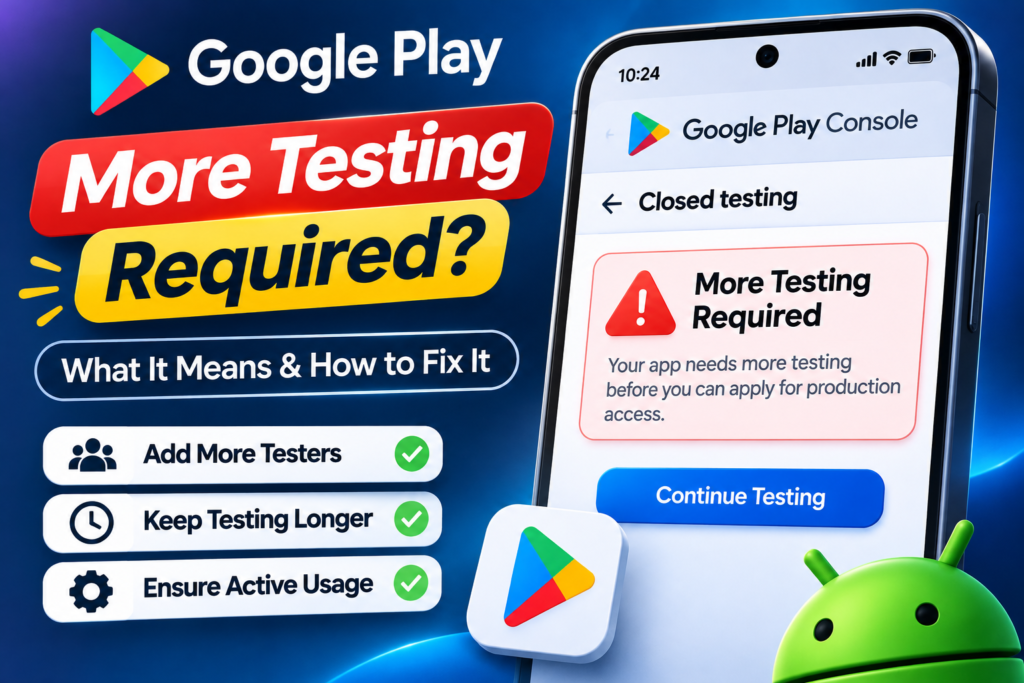
Seeing the More Testing Required message in Google Play Console can be frustrating, especially when you have already invited testers, shared your app, and completed a closed testing period. Many developers expect production access as soon as their testing requirements are completed, but Google may still ask for additional testing before approving an app for production.
The More Testing Required message means Google needs further confidence that your application is ready for real users. This can happen when your testing activity, tester engagement, app functionality, or feedback does not provide enough evidence of readiness.
If you are facing the More Testing Required notification, you should not simply add more testers without understanding the problem. You need to improve your testing process, collect meaningful feedback, fix application issues, and demonstrate that your app provides a stable user experience.
In this guide, we explain why Google Play displays More Testing Required, what developers should fix, and how to improve their chances of getting production access.
What Does More Testing Required Mean on Google Play?
The More Testing Required message appears when Google Play determines that your application needs additional testing before it can move towards production access.
Google wants developers to demonstrate that their apps are functional, stable, and suitable for public release. Completing the minimum testing period does not automatically guarantee approval.
For eligible personal developer accounts created after 13 November 2023, Google requires at least 12 testers to remain opted in to a closed test continuously for 14 days before the developer can apply for production access.
However, meeting the 12 testers and 14 days requirement is only one part of the process. Google may also consider the quality of testing, tester engagement, feedback, and the overall readiness of the application.
When you see More Testing Required, it is important to review your testing activity instead of submitting another application without making improvements.
9 Reasons You See More Testing Required on Google Play
Understanding the reasons behind More Testing Required can help you identify what needs to change. Below are nine common areas developers should review.
1. Testers Are Not Actively Using Your App
One possible reason for receiving More Testing Required is limited tester engagement.
Inviting people to your closed testing programme is not the same as receiving useful testing feedback. Testers should install your application, explore its features, and use it in realistic situations.
If testers only install the application and never open it again, your testing activity may provide limited evidence of app readiness.
What to fix:
- Ask testers to open the application regularly.
- Encourage them to explore different features.
- Request feedback about usability and performance.
- Ask testers to report problems they experience.
- Make sure testers understand how to access the testing version.
Meaningful engagement can make your testing process more useful and help address the concerns behind More Testing Required.
2. You Have Not Collected Enough Useful Feedback
Feedback is an important part of application testing. If Google displays More Testing Required, review whether your testing process includes meaningful feedback from actual users.
Testers should explain what works, what does not work, and which features need improvement.
General comments such as “the app is good” do not provide much information about the application’s performance or usability.
What to fix:
- Create a simple feedback form.
- Ask testers to report bugs and crashes.
- Collect suggestions about navigation and design.
- Identify confusing features.
- Keep a record of reported issues and completed fixes.
Useful feedback helps developers understand their application’s weaknesses and improve the quality of the next testing cycle.
3. Your App Contains Bugs or Broken Features
An application that crashes, freezes, or contains broken functionality may struggle to demonstrate production readiness.
If testers experience problems while using your app, they may not be able to complete important tasks. This can reduce the quality of your testing results.
When dealing with More Testing Required, check whether your application works correctly across its main features.
What to fix:
- Resolve frequent crashes.
- Repair buttons that do not respond.
- Fix login and registration problems.
- Check forms and submission processes.
- Test navigation between screens.
- Resolve loading and connectivity issues.
Do not focus only on the number of testers. A stable application and a useful testing experience are equally important.
4. Your Testing Period Was Not Completed Correctly
The 14-day closed testing requirement is an important part of production access eligibility for applicable personal developer accounts.
For these accounts, at least 12 testers must remain opted in continuously for 14 days. If the number falls below the required threshold during the period, the continuous testing requirement may not be satisfied.
A developer may receive More Testing Required after misunderstanding how the testing period works.
What to fix:
- Confirm that your application is using the closed testing track.
- Check that at least 12 testers have opted in.
- Make sure testers remain opted in throughout the required period.
- Avoid removing testers during the testing period.
- Check the testing status in Play Console.
Remember that sending invitations does not mean testers have opted in. Testers must complete the opt-in process using the correct Google account.
5. You Are Using the Wrong Testing Track
Google Play offers different testing tracks, including internal testing, closed testing, and open testing.
These tracks serve different purposes. Developers who need to meet the applicable 14-day production access requirement should make sure they are completing the required closed testing process.
Internal testing alone does not replace the closed testing requirement.
What to fix:
- Review the testing track selected in Play Console.
- Confirm that your testers have access to the correct closed testing release.
- Share the correct opt-in link.
- Check that testers are using the intended Google accounts.
- Review your release status before continuing.
Using the correct testing track helps prevent unnecessary delays when addressing More Testing Required.
6. Testers Cannot Access Important App Features
If testers cannot access important features, your testing process may not provide enough information about the application’s functionality.
For example, testers may be unable to register, log in, complete a purchase flow, or access a dashboard.
This can happen because of server problems, incorrect permissions, account restrictions, or incomplete features.
What to fix:
- Test the registration process.
- Check login credentials and authentication.
- Verify API connections.
- Review permission requests.
- Test important screens and user journeys.
- Provide clear instructions for accessing restricted testing features.
Make sure testers can experience the main functionality of your application without unnecessary obstacles.
7. You Have Not Fixed Previous Testing Issues
Repeating the same testing process without fixing known problems is unlikely to improve your application’s readiness.
If testers previously reported crashes, confusing navigation, or broken features, you should address those issues before continuing.
When More Testing Required appears, review your earlier feedback and identify which problems remain unresolved.
What to fix:
- Create a list of reported bugs.
- Prioritise serious functionality problems.
- Fix issues affecting the main user journey.
- Release an updated testing version when appropriate.
- Ask testers to verify the fixes.
- Record the results of your improvements.
A clear improvement process demonstrates that testing is helping you develop a better application.
8. Your App Has Poor Usability or Navigation
An application can technically work while still providing a poor user experience.
Confusing navigation, unclear buttons, excessive permission requests, and complicated registration processes can make an application difficult to use.
Developers facing More Testing Required should evaluate the app from a real user’s perspective.
What to fix:
- Make menus easy to understand.
- Use clear labels for buttons.
- Remove unnecessary steps from important processes.
- Improve screen layouts.
- Provide helpful error messages.
- Make important features easy to find.
Good usability makes it easier for testers to explore the application and provide meaningful feedback.
9. You Applied for Production Access Too Early
Another possible reason for More Testing Required is applying for production access before your application and testing process are sufficiently prepared.
Completing the minimum testing period does not guarantee that Google will approve your production access request.
Before applying, review the application’s functionality, testing feedback, stability, and overall readiness.
What to fix:
- Confirm that the applicable testing requirement is complete.
- Review all important app features.
- Resolve major bugs and crashes.
- Collect and evaluate tester feedback.
- Make improvements based on testing results.
- Provide accurate answers when completing the production access application.
Taking time to improve your application can make your next production access application stronger.
What to Do After Receiving More Testing Required
If Google Play displays More Testing Required, follow a structured improvement process rather than repeating the same testing activities.
Step 1: Review Your Play Console Status
Start by opening Google Play Console and reviewing the production access section.
Read the available message carefully and identify whether Google has provided specific feedback or additional instructions.
Do not assume that every developer receives the same reason for More Testing Required.
Step 2: Check Your Tester Count
Review your closed testing track and confirm how many testers have successfully opted in.
For applicable personal developer accounts, verify that at least 12 testers have remained opted in continuously for the required 14-day period.
Do not count invitations as completed opt-ins.
Step 3: Improve Your Application
Review your app’s most important features and test them thoroughly.
Check registration, login, navigation, forms, notifications, payments if applicable, and other essential functionality.
Fix problems that prevent testers from using the application properly.
Step 4: Collect New Feedback
Ask testers to use the updated application and report their experience.
Encourage detailed feedback instead of general comments. Record the issues they identify and prioritise improvements.
Step 5: Continue Meaningful Testing
Continue testing with genuine users who can explore your application’s features.
Use this additional testing period to evaluate the changes you have made and identify any remaining problems.
Step 6: Apply for Production Access Again
Once you have completed the required testing and made meaningful improvements, review the production access application instructions in Play Console.
Answer the questions accurately and explain your testing process and the improvements made.
Google makes the final decision, so completing these steps does not guarantee immediate approval.
How to Prevent More Testing Required in Future
Preventing More Testing Required starts with a proper testing strategy before applying for production access.
Here are some useful practices:
- Plan testing early: Start preparing your testing group before the release.
- Use genuine testers: Choose people who can realistically explore your app.
- Test important features: Make sure the main user journeys work correctly.
- Monitor stability: Review crashes, errors, and performance issues.
- Collect detailed feedback: Ask testers about specific features and problems.
- Fix reported bugs: Do not ignore issues discovered during testing.
- Keep testers informed: Explain how to access updates and submit feedback.
- Review Play Console: Monitor testing status and production access instructions.
Following these practices can improve your testing process and reduce avoidable delays.
Final Thoughts on More Testing Required
Receiving More Testing Required on Google Play does not necessarily mean your application has failed permanently. It means you should review your testing process and determine whether your app has demonstrated sufficient readiness for production.
Start by checking your tester opt-ins, testing duration, application functionality, and feedback. Fix broken features, improve usability, and continue meaningful testing with genuine users.
Most importantly, remember that completing the 12 testers and 14 continuous days requirement for applicable personal developer accounts does not guarantee production access. Google may evaluate additional information before making its decision.
By treating More Testing Required as an opportunity to improve your application rather than simply an obstacle, you can build a more reliable product and prepare a stronger production access application.
Frequently Asked Questions About More Testing Required
1. What does More Testing Required mean on Google Play?
More Testing Required means Google needs further evidence that your application is ready for production. You should review your testing activity, app functionality, tester engagement, and feedback.
2. Why am I getting More Testing Required after 14 days?
Completing 14 days does not automatically guarantee production access. Google may also consider tester engagement, feedback, app quality, and other information when reviewing your application.
3. How many testers do I need for Google Play closed testing?
For applicable personal developer accounts created after 13 November 2023, at least 12 testers must remain opted in to a closed test continuously for 14 days before applying for production access.
4. Does installing an app count as closed testing?
Installation alone is not enough to satisfy the closed testing requirement. Testers must opt in to the correct testing programme and remain opted in for the required period.
5. Can I get production access after 14 days?
You can apply for production access after meeting the applicable testing requirements. However, Google may request further testing or information before approving your application.
6. What should I fix after More Testing Required?
Review your tester engagement, app crashes, broken features, login problems, navigation, and feedback. Fix important issues and continue meaningful testing.
7. Does internal testing count towards the 14-day requirement?
Internal testing does not replace the applicable closed testing requirement. Developers should use the required closed testing track and verify their testing status in Play Console.
8. Should I add more testers after More Testing Required?
Adding testers alone may not solve the problem. Focus on genuine engagement, meaningful feedback, application improvements, and the specific instructions shown in Play Console.
9. Can Google reject production access even after 12 testers and 14 days?
Yes. Meeting the minimum testing requirement allows eligible developers to apply for production access, but it does not guarantee approval. Google may consider other aspects of app readiness.
10. How long should I continue testing after More Testing Required?
There is no universal additional testing period for every developer. Follow the instructions provided in Play Console and continue testing until you have addressed the identified issues and can demonstrate meaningful improvements.